 COME
COMECOME opens a blank screen after installation
Treat successful installation and online app loading as different stages; inspect the connection and exact symptom first.
Work through this situation
If Android reports installation complete but the first screen is blank, another APK download is not automatically the answer. Compare whether the network loads ordinary pages and whether the issue affects only COME.
What to check and why
First confirm Android actually reported installation complete. Then open the recognised installed-app entry and observe whether there is a blank area, a loading indicator or an explicit message. These symptoms help distinguish a first-screen loading question from a file that never reached the installer.
Check a normal page on the same connection, then make one deliberate connection change if appropriate. COME's Network Issue help suggests checking the internet or switching networks. That is a connection check, not a guarantee of a fix. If other pages work and only COME fails, record that distinction with the time instead of repeatedly replacing the package.
Recognise the relevant screen
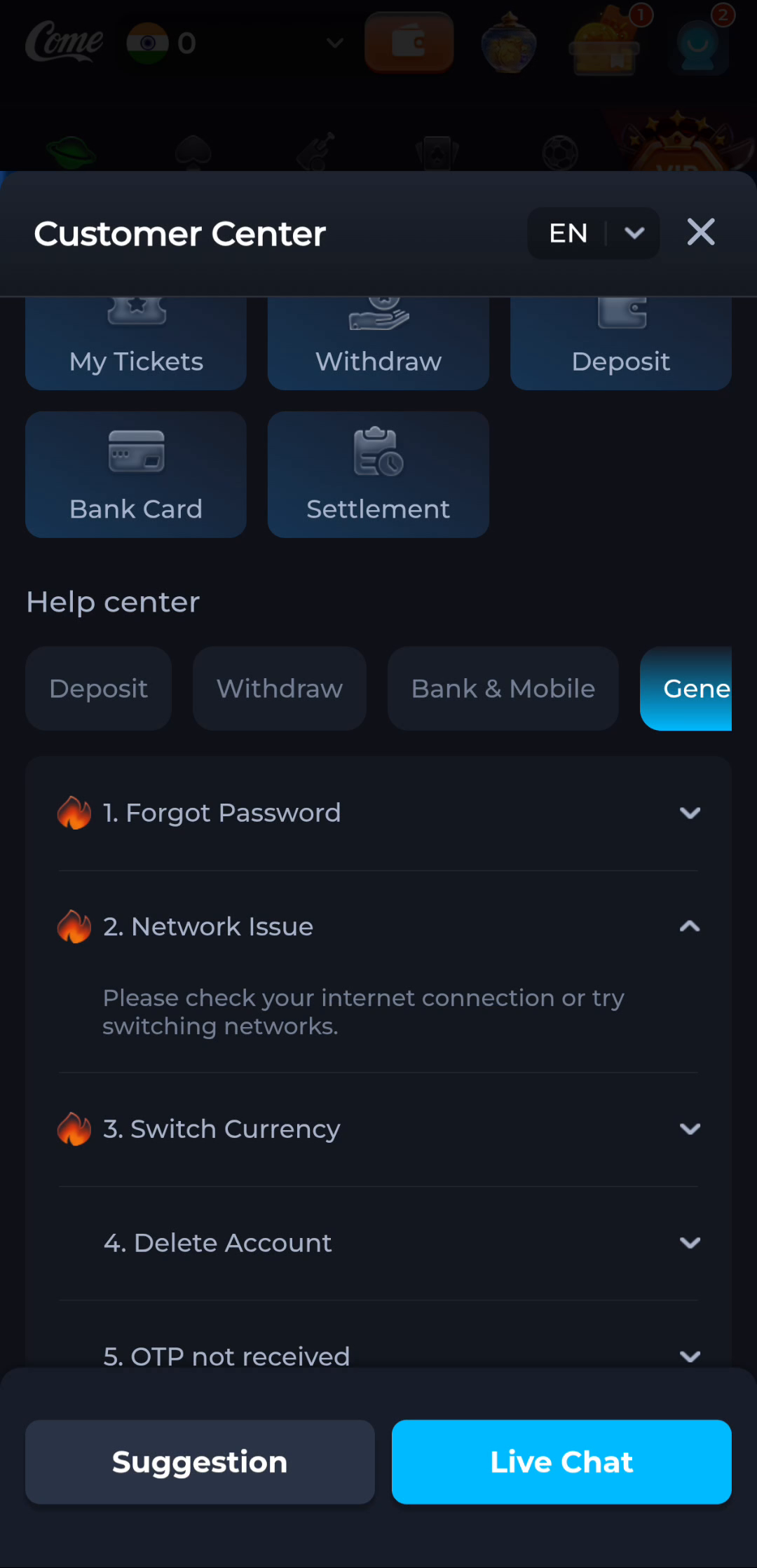
The Network Issue answer in COME provides a connection check. Its wording applies to connectivity; it does not diagnose every possible Android installer error.
Identify the exact device stage
A completed browser download says that a file was saved. Android separately decides whether it can install the package, and the app separately handles its first loading and account access. Keep Play Protect active and read the full device message. A working installation is worth preserving while you investigate a different release or an unexplained error.
What a completed answer looks like
The problem is identified as loading or account access instead of an unfinished package transfer.
Continue from the stage you have actually confirmed. Preserve the exact message when a step remains unresolved.
Choose another specific COME guide